
Line-Level Availability & Receipt Signals
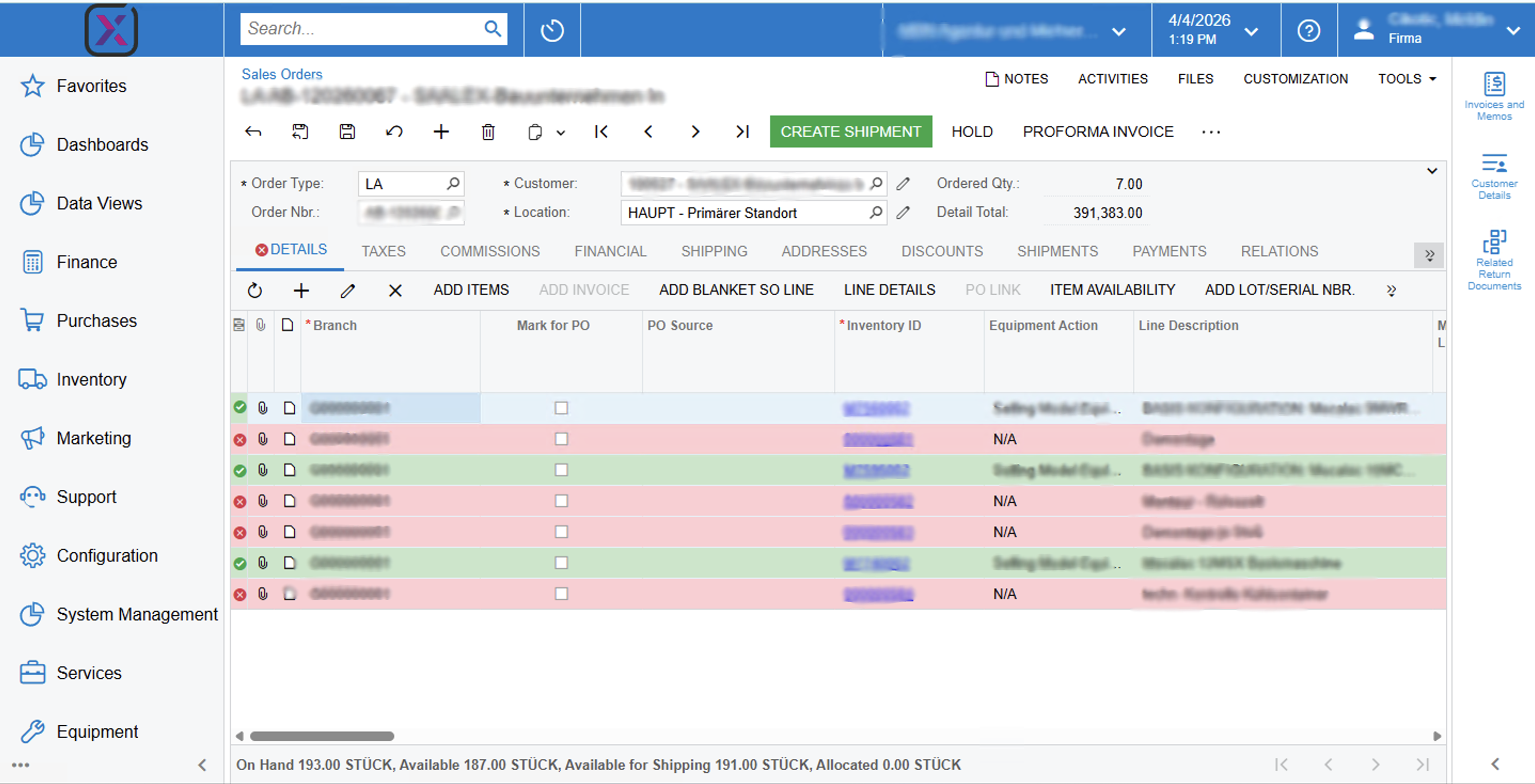
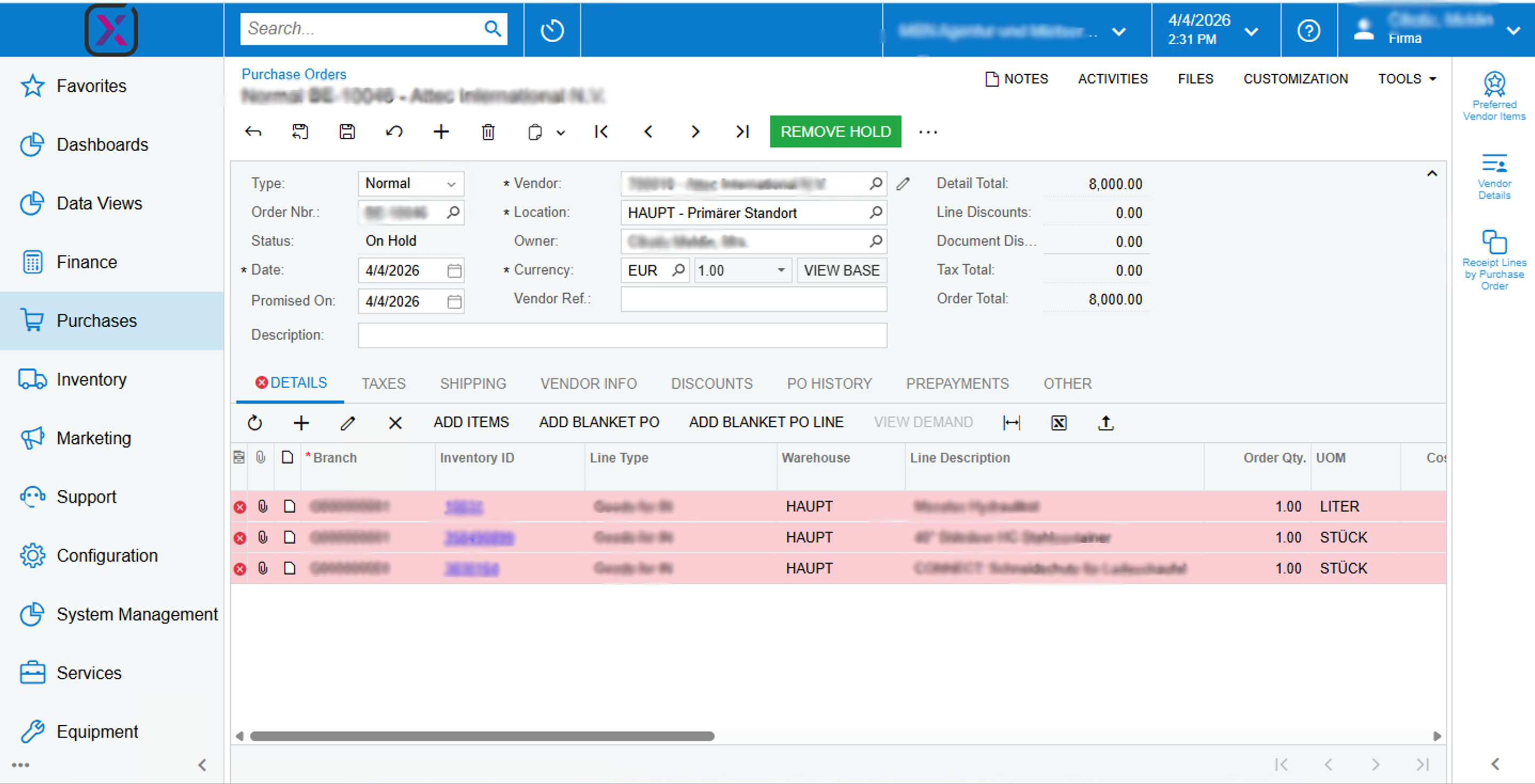
- At-a-glance lines: red and green row styles driven by your rules—no extra clicks per line
- Faster triage: buyers and sellers focus on the few rows that actually need attention
- Earlier conversations: see shortfall risk while the order is still on screen
- Shared context: optional footer fields surface on-hand, demand, available, and related quantities in one place
- Readable availability: optional narrative text in the Availability field for quick human scan
This package is built around practical signal design—not decorative coloring. On sales orders, the row style reflects how well available quantity covers the quantity on that line. On purchase orders, it reflects receipt progress against what was ordered. The goal is simple: make exceptions obvious, keep copy concise, and stay aligned with how Acumatica already thinks about quantities.
Procurement & inbound
Receiving teams see which PO lines are still open at a glance. Lines that are fully received read green; anything not yet complete—including partial receipts—stays red until received quantity meets or exceeds what was ordered.
Sales orders
While lines are entered, coverage logic compares available quantity to the order quantity on the same line. Green means full coverage (available meets or exceeds the line quantity). Red means a gap—including zero or partial stock—so you can substitute, split, or trigger supply before the customer hears a surprise.
Picture a multi-line sales order: two lines glow green and two red. Instead of mentally diffing quantity columns, your eye lands on the reds first—then you use the footer or availability note to explain the story in one sentence to a colleague or customer.
Sales Order (SO301000)
- Field: “In Stock”Physical quantity at the selected warehouse/location
- Field: “Total Sales Qty”Aggregated open sales demand used in the calculation context
- Field: “Available Stock”Derived available quantity for the item (stock minus relevant reservations/demand)
- Field: “Order Qty”Quantity on this document line—the target the traffic-light rule compares against
- Function: “Footer bar”Optional strip that rolls up on-hand, demand, available, and related figures for quick context
- Function: “Availability narrative”Optional formatted text written into the Availability field for easy reading
- Function: “Row status coloring”Applies red or green background styling to detail lines from the rules below
- Status “Red” Short coverage — available quantity is less than the order quantity on the line (includes zero)
- Status “Green” Full coverage — available quantity is greater than or equal to the order quantity on the line
Purchase Order (PO301000)
- Field: “Ordered Qty”Quantity ordered on the line
- Field: “Received Qty”Quantity already received against that line
- Function: “Goods receipt check”Live alignment of received quantity against ordered quantity for each line
- Function: “Row status coloring”Row-level red or green styling from receipt progress
- Status “Red” Open line — received quantity is less than ordered (includes not yet received and partial receipts)
- Status “Green” Complete — received quantity is greater than or equal to ordered